

Pushing code to a code host
Learn how to push code changes to a code host without making a merge request.
Pushed-only changesets work on GitHub and GitLab only. They do not yet work with forked repositories.
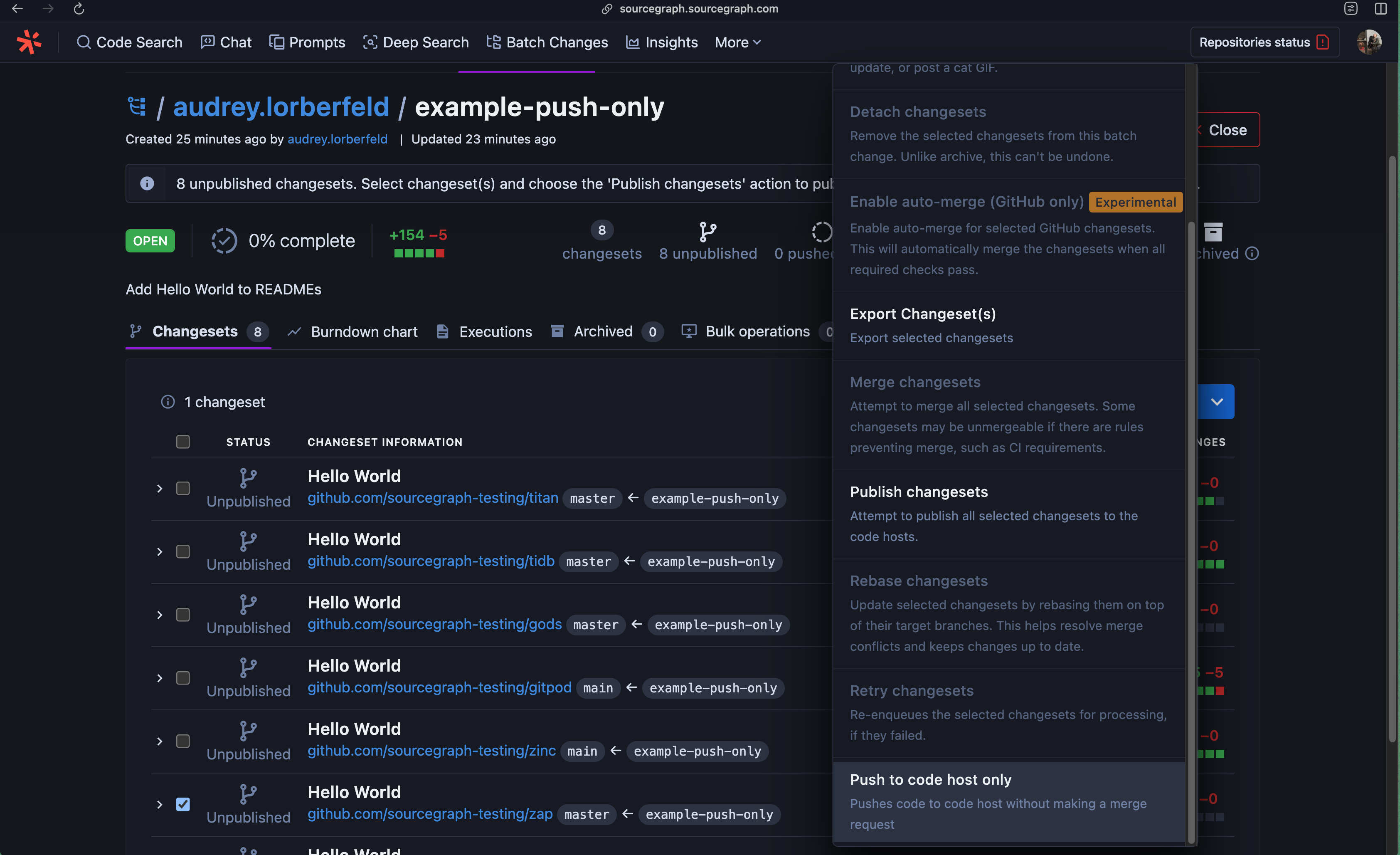
After you've created a batch change, you will be redirected to a page displaying a list of the changesets the Batch Change created. From this page, you can apply any bulk operation to more than one changesets.
To push code to a new branch on a code host without also creating a merge request, simply select Push to code host only from the dropdown menu:
Few important considerations
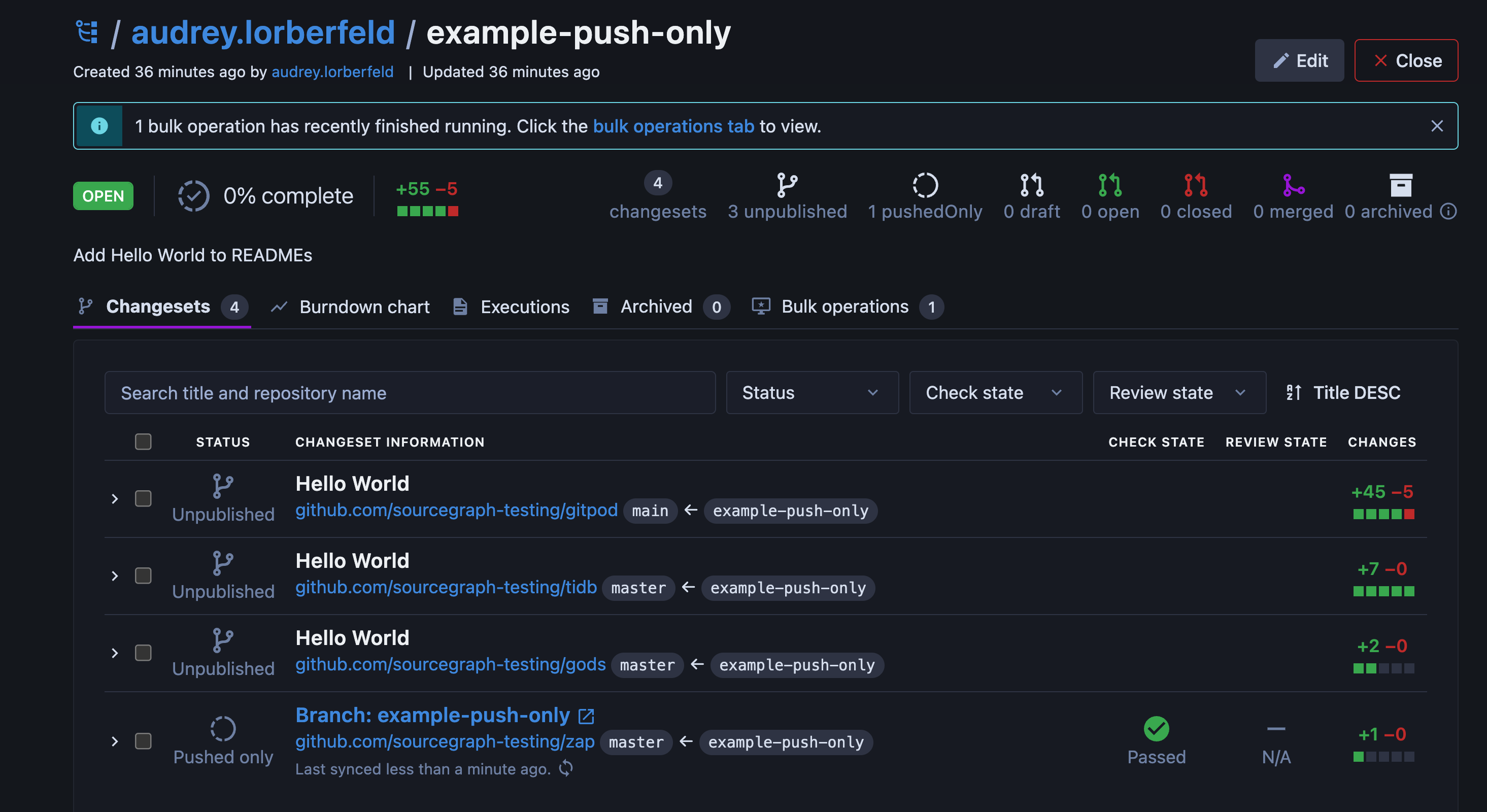
- With pushed-only changesets, you are still able see CI feedback, as long as it triggers on code pushes
- The
reviewstatus of a pushed-only changeset is always "N/A" - The
statusof a pushed-only changeset is always "Open" - To publish a pushed-only changeset, simply select the changeset in the Batch Changes UI and select Publish
Requirements
To push code to a new branch on a code host, you will need:
- Admin permissions for the batch change
- Write access to the changeset's repository on the code host
- Credentials configured for the code host
For more information, see Code host interactions in Batch Changes.